How to Create Custom Illustrations for Your Brand
Creating custom illustrations for your brand can help your business stand out and communicate effectively. Traditional methods can be time-consuming and expensive, but IllustrationsAI offers a faster, simpler solution. This tool uses AI to generate professional, royalty-free illustrations tailored to your brand's identity in seconds - no design skills required. Here's a quick overview of the process:
- Sign Up: Create an account at illustrationsai.com and choose from four pricing plans starting at $36/month.
- Upload References: Provide 10–20 high-quality images that reflect your brand's style, colors, and design preferences.
- Generate Illustrations: Use predefined styles or create a custom AI style to produce visuals that match your brand.
- Review & Export: Check for consistency, refine as needed, and export in formats like SVG, PNG, or JPG.
- Deploy: Use your illustrations across social media, websites, emails, and marketing materials to reinforce your brand identity.
With IllustrationsAI, you can quickly create visuals that align with your brand while saving time and resources.
How to Create Custom Illustrations for Unique Brand Style Using AI
Follow this step-by-step process to generate custom AI illustrations that align perfectly with your brand identity.
Step 1: Set Up Your IllustrationsAI Account
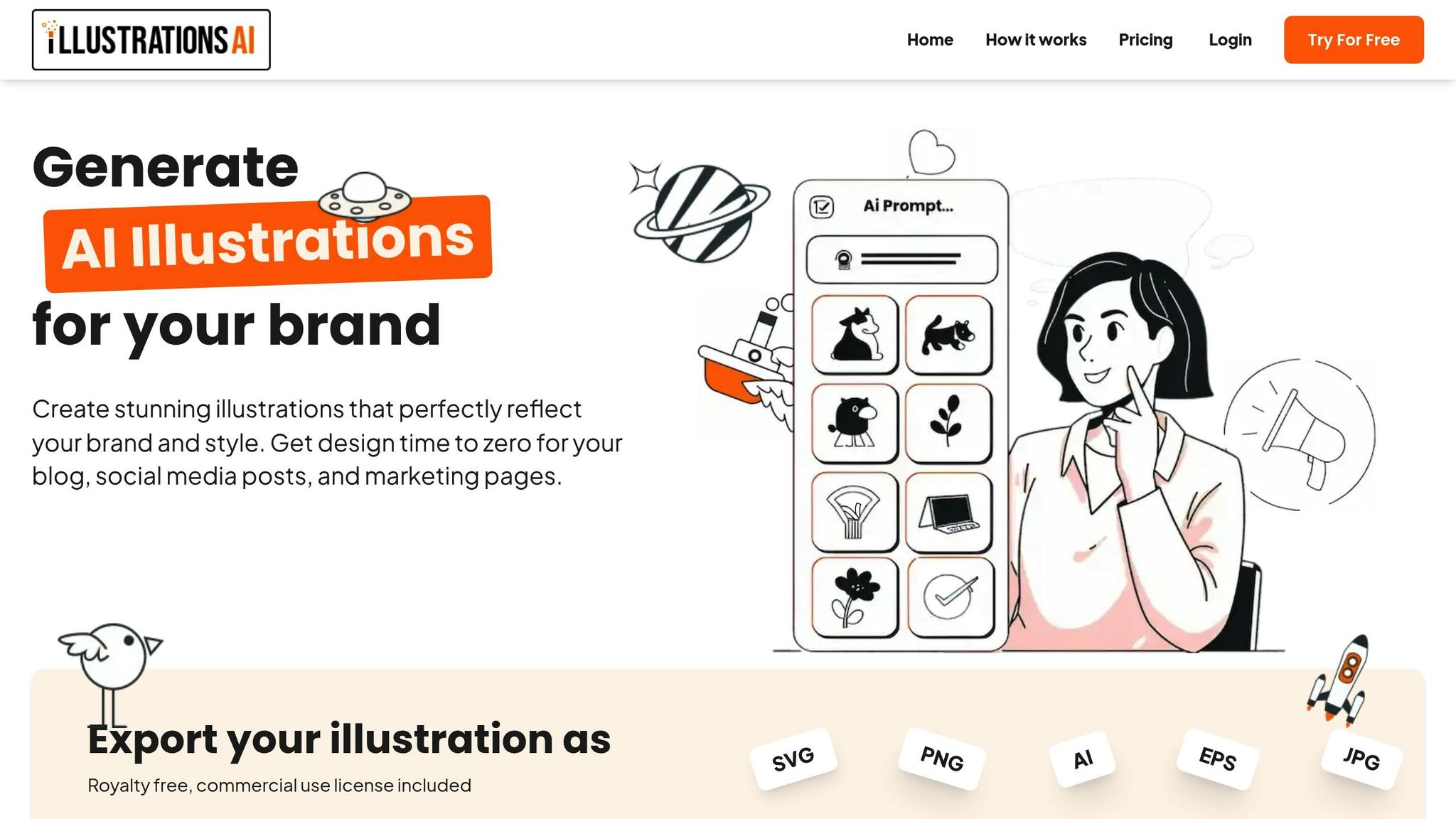
Getting started with IllustrationsAI is simple and hassle-free. Since it runs directly in your web browser, there’s no need to download any software. Just head over to illustrationsai.com and create your account. The sign-up process is quick, and you’ll be up and running in minutes. Plus, you can access the platform from any device with an internet connection.
Sign Up and Choose Your Plan
After setting up your account, the next step is selecting a subscription plan that matches your needs. IllustrationsAI offers four pricing options, catering to different levels of usage and customization.
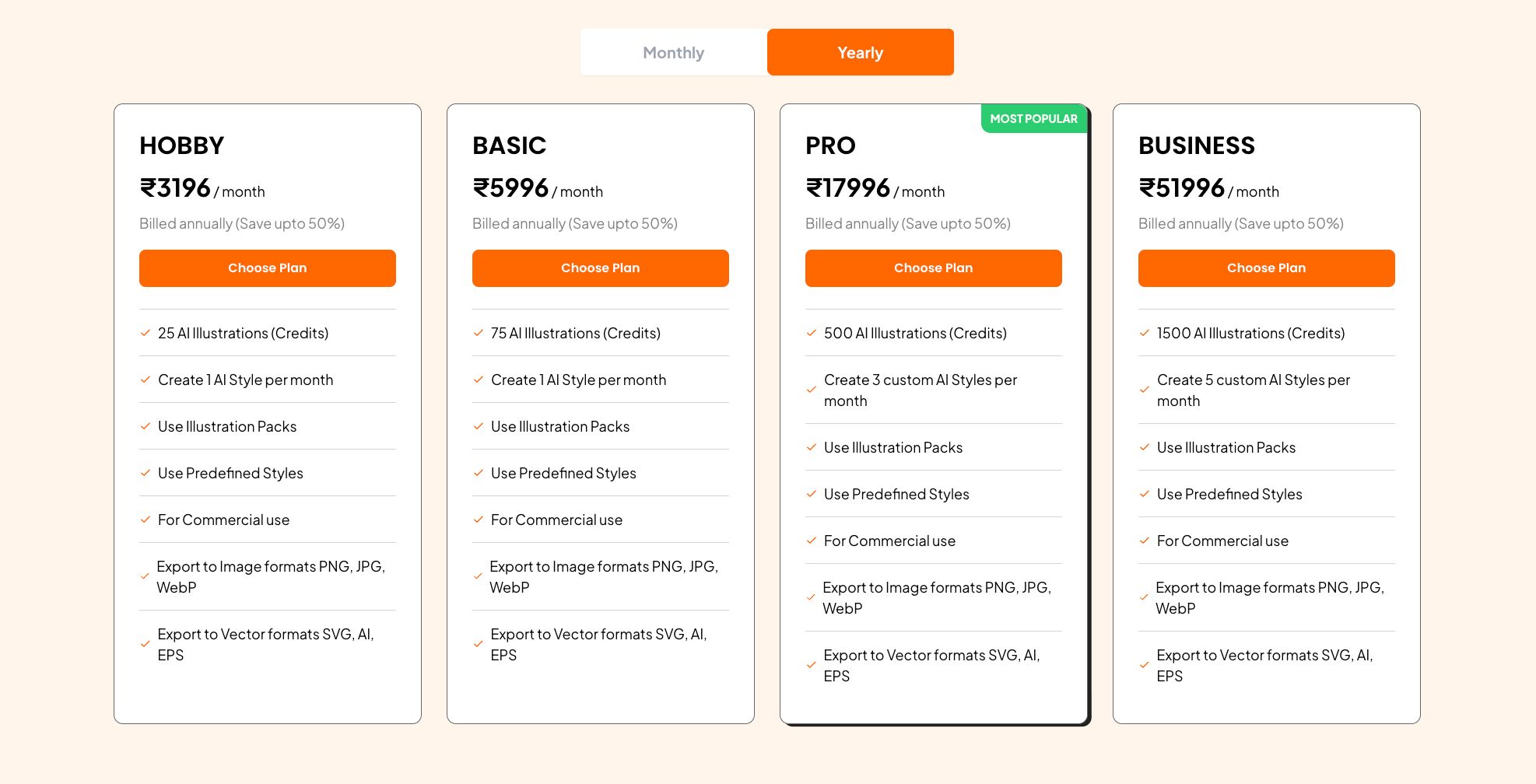
- Hobby Plan: Priced at $36/month (billed annually), this plan includes 25 AI-generated illustrations and 1 custom AI style per month. It’s perfect if you’re just experimenting or have light illustration needs.
- Basic Plan: For $68/month, you’ll receive 75 illustrations monthly, offering a bit more flexibility for small projects.
- Pro Plan: At $196/month, this is the most popular choice, providing 500 illustrations and 3 custom AI styles each month - ideal for professionals with regular demands.
- Business Plan: Designed for agencies or large teams, this plan costs $596/month and includes 1,500 illustrations and 5 custom AI styles.
All plans come with commercial-use rights, access to predefined styles, illustration packs, and multi-format export options (SVG, PNG, JPG, WebP, AI, EPS). You can pick the plan that fits your needs now, knowing you can upgrade later if your requirements change.
Once your plan is selected, you’re ready to upload your brand references and start creating custom illustrations tailored to your projects.
Step 2: Upload Your Brand Reference Images
Once your account is set up, the next step is uploading your brand reference images. These images help the AI understand your brand's colors, textures, shapes, and overall aesthetic, ensuring every illustration aligns with your unique style.
You'll need to upload 10–20 high-quality images that capture your brand's visual identity. Each image should be at least 1,000 pixels wide or tall and saved in either JPEG or PNG format. These references allow IllustrationsAI to train a custom AI model tailored to your brand's look.
Your reference images should cover these four key areas:
- Subject-based references: Include photos of brand mascots, characters, or products to ensure the AI can replicate their defining features accurately.
- Style references: Add visuals that reflect your preferred aesthetic - whether that's matte or glossy finishes, organic or geometric shapes, or detailed versus minimalist designs.
- Compositional guides: Share examples of layouts and visual hierarchies that resonate with your brand's design approach.
- Color hierarchy assets: Provide images that showcase your brand's color palette, ideally broken down into 60–70% primary colors, 20–30% secondary colors, and 5–10% accent colors.
The training process takes about 30 minutes. During this time, the AI analyzes patterns, color schemes, and stylistic elements from your images. Once the training is complete, your custom style will be ready, allowing you to create illustrations that perfectly match your brand's identity. From here, you're all set to start generating tailored visuals!
Step 3: Create Illustrations for Your Brand
With your custom style in place, it’s time to create illustrations that truly represent your brand. IllustrationsAI offers two main approaches: you can either use predefined styles for quick results or develop a custom AI style for a more tailored fit. Both options allow you to produce professional-grade illustrations that align with your brand’s personality. Once you've decided on your approach, focus on crafting precise prompts to guide the AI.
Choose Predefined Styles or Build Custom AI Styles
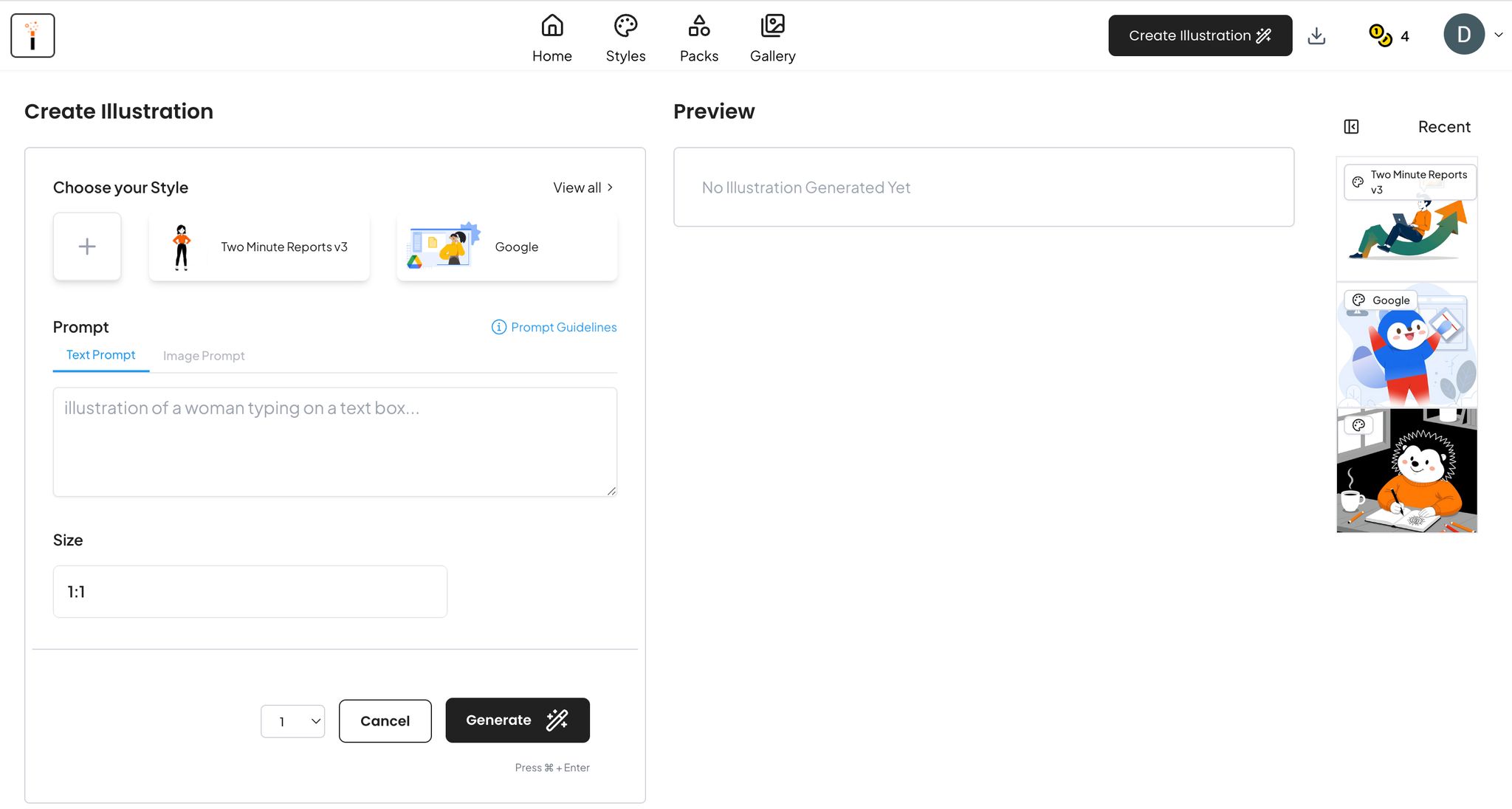
Using the custom style you developed in Step 2, IllustrationsAI provides access to a library of predefined styles. These are categorized into groups like SaaS, Minimal, Comic, 3D, Flat, and Black and White, which makes it easy to find a style that matches your brand’s visual identity.
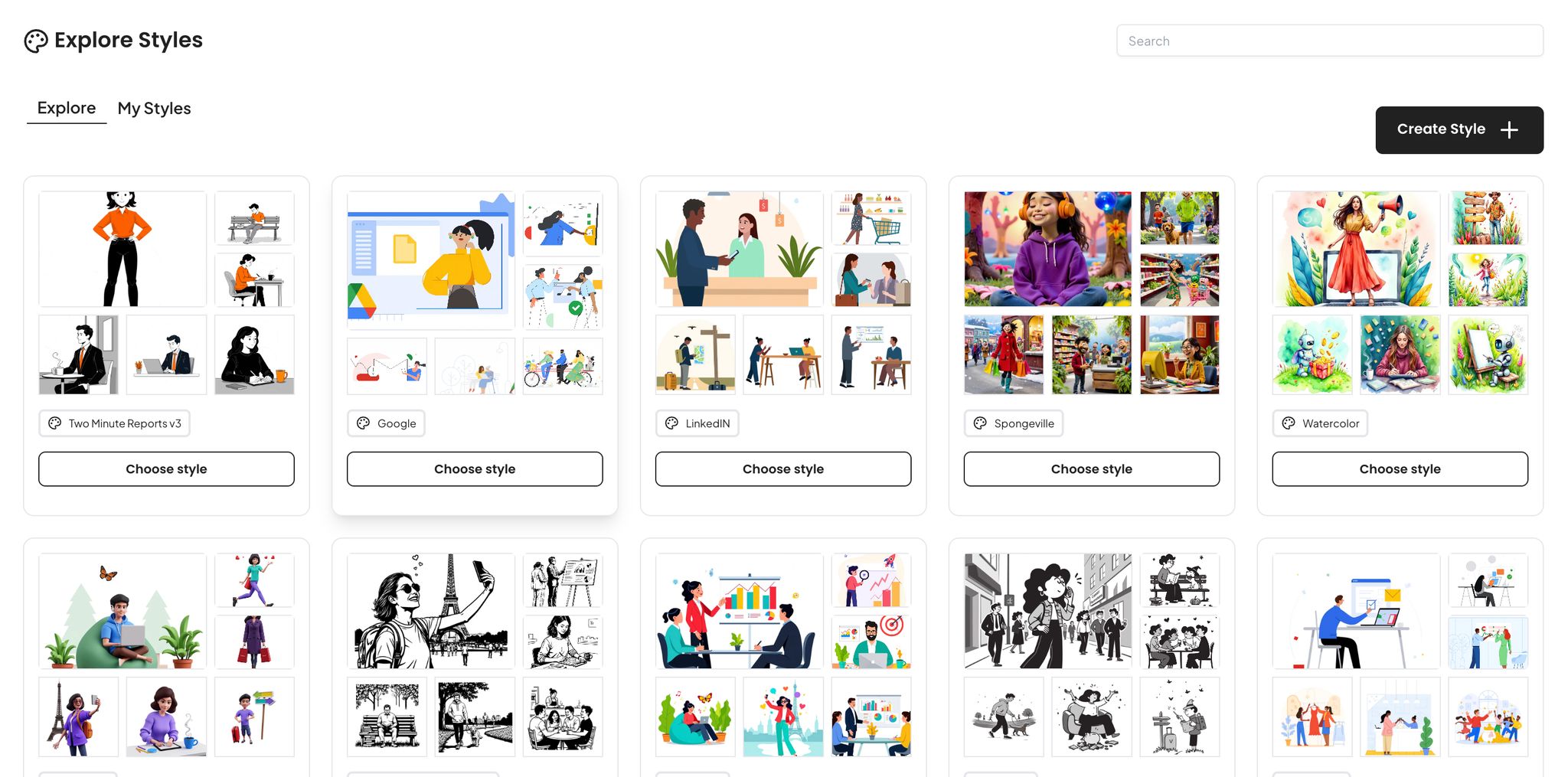
When selecting a style, consider three key factors: your brand identity, your target audience, and the message you aim to communicate. For instance, a tech startup looking for a sleek, polished look might lean toward styles inspired by "Google" or "Notion." The style you pick should reflect your brand’s personality .
"Consider your brand identity, target audience, and the message you want to convey. Browse our collection and select a style that aligns with these factors." - IllustrationsAI
If none of the predefined styles feel like the right fit, you can rely on the custom style you built earlier. This ensures that the illustrations generated by the AI reflect your specific textures, color schemes, and patterns. You can also tweak predefined styles by adding keywords to your prompts. For example, terms like "cinematic lighting", "vibrant colors", or "soft shadows" can refine the output. Experiment with different styles and variations to determine which works best for your project.
Once you've settled on a style, the next step is to translate that vision into detailed prompts.
Crafting Prompts for Your Illustrations
The key to achieving your desired results lies in creating effective prompts. A well-structured prompt serves as a blueprint for the AI, outlining not just what to draw but also how to capture the mood, details, and overall technique.
"A strong prompt acts like your style description, concept sketch, and art direction all at once. It instructs the AI not only what to draw, but also how to capture mood, detail, and technique." - Miss Chatz, Envato
To create a strong prompt, use this formula: Subject + Style + Composition + Lighting/Rendering + Key Details/Color Palette + Quality. Be specific with your descriptions. For example, instead of saying "dark blue", try "matte metallic midnight blue." Replace vague phrases like "fruit poster" with something more detailed, such as "Geometric fruit poster, flat vector shapes, limited four-color palette, bold negative space, centered layout, crisp outlines". The AI responds best to short, descriptive phrases separated by commas, like "Close-up of face, pop art style, thick lines", rather than long, poetic sentences.
Adding negative prompts can help refine the output further. For instance, include phrases like "no text", "no logos", or "no clutter" to avoid unnecessary elements . To ensure the AI sticks to your brand’s color palette, you can even include specific Hex codes in your prompts. By following this method, you can build a library of prompts that deliver consistent, on-brand illustrations every time.
Step 4: Review and Export Your Illustrations
Once you've generated your illustrations, it's time to carefully review them to ensure they align with your brand strategy. With your custom style and visuals ready, every element should reinforce your brand's identity.
Check for Brand Consistency
Begin with a review checklist that covers key aspects like composition, color accuracy, brand aesthetics, technical quality, and overall alignment. Pay close attention to potential AI artifacts - such as odd symmetry, overly generic trends, or designs that technically fit your prompt but fail to capture your brand's essence.
"The style guide provides the constraints; human judgment ensures the results actually serve your brand strategy." - illustration.app
Ensure that finishes, shapes, and detail density match your brand's standards. If something feels out of place, take advantage of IllustrationsAI's refinement tools, such as Generative Fill and Vary functions, to tweak and perfect the outputs. When reviewing colors, double-check that they follow your established hierarchy and fit your overall visual identity.
Export in the Right Format
Once you've confirmed everything is consistent, it's time to export your illustrations in the appropriate format. IllustrationsAI supports a variety of export options, including SVG, PNG, AI, EPS, JPG, and WebP, each tailored to specific use cases.
| Format | Best Use Case | Key Characteristics |
|---|---|---|
| JPG | Social Media, Web | Standard web format; retains color with lossy compression |
| PNG | Marketing, Social Media | Lossless compression; supports transparency for layering |
| SVG | Websites, Icons, Logos | Scalable without quality loss at any size |
| WebP | Modern Websites | High compression for faster page loads |
| Print Materials | Preserves layout and high-resolution images; ideal for printing |
For websites, consider WebP for faster loading times or SVG for sharp icons and logos. On social media, use PNG if you need a transparent background or JPG for standard posts. For print materials like brochures or business cards, PDF is the go-to format, as it preserves fonts, images, and layouts across different printing setups. Keep in mind that exporting AI-generated illustrations as SVGs may result in complex paths due to raster-to-vector conversions, which differ from traditional hand-drawn vectors.
With these final files ready, your illustrations are set to be deployed across your brand's channels, completing the creative process.
Step 5: Use Illustrations Across Your Brand Channels
Once your illustrations are finalized and exported, it’s time to weave them into your brand’s ecosystem. By thoughtfully placing these visuals across your channels, you can transform them from standalone designs into engaging storytelling tools that strengthen your brand identity.
Add Illustrations to Social Media
Social media thrives on visuals. Posts with images are known to generate 650% more engagement and achieve 94% higher view rates. Your custom illustrations from IllustrationsAI can deliver the visual punch needed to stand out in crowded feeds.
Each platform has its own unique requirements. On Instagram and Facebook, carousel posts and animated stories are great for showcasing product features or telling brand stories. For LinkedIn, professional animated infographics can simplify complex data and make industry insights more accessible. On X (formerly Twitter), short animations or GIFs can increase engagement by up to 55%. No matter the platform, consistency is key - stick to the same color palette and illustration style to create instant brand recognition.
"The answer is surprisingly simple: A little about you, a little about others, and a little that is just plain fun. Think of social media conversations like cocktail party chitchat." - Adrianne Gordon, Director of Marketing and Operations, JB Media Group
To keep your content balanced, consider the 30/30/30 Rule: allocate 30% of your posts to brand-specific stories featuring your custom illustrations, 30% to industry-related content, and 30% to fun, engaging visuals. Leave the remaining 10% for real-time interactions. And since over 90% of social media users browse on mobile devices, make sure your illustrations are sharp and easy to view on smaller screens. This approach ensures your visuals consistently reinforce your brand identity across all social platforms.
Add Illustrations to Your Website and Marketing Materials
Your website and marketing materials are another prime space for showcasing your custom visuals. Well-placed illustrations can guide visitors toward key calls-to-action and make complex ideas easier to grasp. In fact, visuals can boost information retention by up to 65%. Use hero illustrations on your homepage to immediately convey your brand’s personality, or feature explainer graphics on service pages to simplify technical concepts.
For email campaigns, try using GIFs to add subtle animations or PNGs for crisp, text-based visuals. When creating digital ads, WebP is an excellent format - it offers better compression and faster load times while maintaining image quality.
To optimize performance, use SVG files for website icons and logos. These are lightweight, scalable, and ensure your pages load quickly. Don’t forget to include descriptive alt text for every illustration, making your content accessible to screen-reader users. By strategically placing your custom illustrations, you’ll create a cohesive and engaging brand experience across all marketing channels.
Conclusion
From setting up your IllustrationsAI account to deploying visuals across multiple platforms, the process is designed to be simple and effective. By following the five outlined steps - account setup, uploading brand images, generating illustrations, reviewing, and deploying - you can establish a cohesive visual identity that makes your brand instantly recognizable. With the help of AI-driven design, each step strengthens your brand’s visual presence.
Uploading 10–20 images fine-tunes the AI to mirror your brand's style, ensuring that every illustration reflects your color palette, lighting, and composition. This attention to detail creates the kind of instant recognition that boosts brand recall by 38.7%.
"A strong visual identity makes your brand recognizable in a split second, even before someone reads a single word." - Neelam Goswami, Content Specialist
IllustrationsAI streamlines the creation of on-brand visuals, delivering results in just minutes. With flexible plans, the platform adapts to meet your branding needs, offering the scalability to grow alongside your business.
Start building your custom illustration library today. Whether it’s for social media, website hero sections, or email campaigns, this streamlined process ensures your brand stands out across all digital channels.
FAQs
IllustrationsAI combines cutting-edge AI technology with your brand's style preferences to craft visuals that truly represent your identity. By factoring in elements like your chosen colors, fonts, and design details, the platform ensures that every illustration aligns seamlessly with your brand's tone and message.
The result? Consistent visuals that strengthen your brand presence across various platforms - whether it's social media, marketing campaigns, or other digital channels.
AI-generated illustrations offer a range of benefits that make them an excellent resource for businesses. For starters, they enable the quick creation of visuals, significantly cutting down the time compared to traditional design methods. This speed can be a game-changer when deadlines are tight or when there's a need for frequent updates.
They’re also incredibly cost-effective, helping businesses save on expenses by reducing the reliance on manual work or the need to hire additional design professionals.
On top of that, AI tools excel at producing customized and consistent visuals on a large scale. This ensures that all your designs stay in sync with your brand's identity and messaging, whether they’re for social media, your website, or any other marketing channel. It’s a smart way to maintain a polished and cohesive look across all platforms.
To make your brand's marketing stand out, custom illustrations can play a powerful role. The key is to ensure these visuals align seamlessly with your brand's identity and messaging. Using AI-powered tools, you can create one-of-a-kind, high-quality illustrations that not only showcase your unique style but also connect with your audience on a deeper level. These illustrations can amplify your presence on platforms like social media, websites, and other marketing materials.
To maintain a cohesive look, think about creating a style guide specifically for AI-generated visuals. This guide can cover essentials like your color palette, typography, and overall visual themes, ensuring everything stays true to your brand's personality. By training AI tools with your brand assets and detailed guidelines, you’ll be able to produce polished, unified visuals that enhance your marketing efforts across the board.

Meet the Author
Vignesh Rao Y
Vignesh is driven by ideas that create a tangible impact. At Illustrations AI, he specializes in content that helps designers and marketers speed up their creative workflows. When he's not turning complex ideas into simple visuals, you might find him lost in a book, jotting down ideas in his notebook, or connecting the dots others overlook.